


St. Louis Post-Dispatch News
4.5511.00 Reviews
App Specs
- Version
- 9.22
- Updated On
- License
- Free
- Downloads
- 100,000+
- Developer
- St. Louis Post-Dispatch
- Categories
- News & Magazines
- Platform
- Android
Screenshots
 Analysis by AppCompare
I reach for a local news app for a practical reason: I want to know what is happening around me without turning every spare minute into a search through national headlines. The St. Louis Post-Dispatch News app is aimed at that habit, with coverage tied to St. Louis alongside sports, entertainment, video, and other news. Its strongest appeal is focus: if this is your city, a local outlet can make the day’s news feel more relevant than a broad feed built for everyone.
A local starting point for the day
I find a city-focused news app most useful when I treat it as a first stop, not my only source. In the morning, I might scan local headlines before checking a wider outlet for national context. Later, I can return for a story that affects my neighborhood or a team I follow. That routine is where a publication with a St. Louis identity can earn a place on a phone: it puts local coverage within easy reach instead of making me hunt for it among unrelated topics.
The app is published by St. Louis Post-Dispatch, a name that signals its regional focus. It belongs to the News & Magazines category and is free to install, so trying it does not require an upfront payment. The audience is broad, with an Everyone content rating, while in-app purchases are listed at prices ranging from around $27 to $325 per item. I would check the terms shown in the app before committing to any purchase, especially if I mainly want occasional headlines rather than a regular reading habit.
Who will get the most from it
This is a natural fit for people who live in St. Louis, have family there, or follow the city from somewhere else. It may also suit readers who want local reporting and sports coverage in one place rather than following separate accounts or searching the web each time a story breaks. If you are new to the area, a local publication can help you learn which civic issues and teams are shaping conversation, though I would still use broader sources when I need a national or international view.
It is less compelling if your main interest is a personalized stream spanning many cities, subjects, and publishers. A general news aggregator is better suited to that job because it can combine sources and let you compare how different outlets cover the same event. Likewise, if you want only national headlines, a national broadcaster or newspaper app may deliver a more direct route. The useful question is not whether this app covers everything; it is whether St. Louis coverage deserves a regular place in your reading mix.
Getting to Know the App
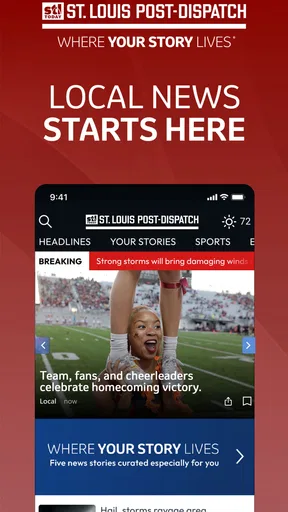
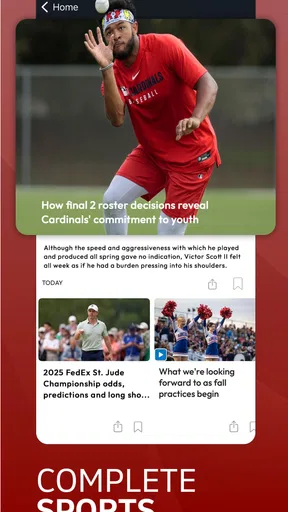
The first thing you'll notice about the St. Louis Post-Dispatch News app is its clean, intuitive interface. Upon opening it, you're greeted with a splash screen that quickly transitions to the main news feed. This isn't just any feed; it's a curated blend of local and national headlines designed to keep you in the loop. The app does a stellar job at balancing hard news with features, sports, and entertainment, so you never feel overwhelmed. It's like having your own personal news curator.
Features That Stand Out
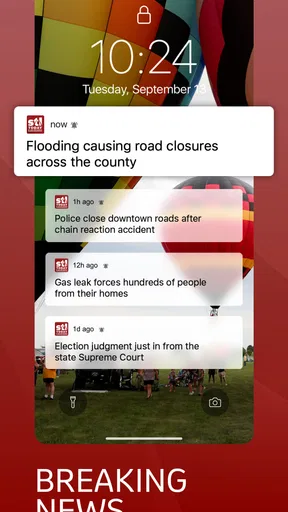
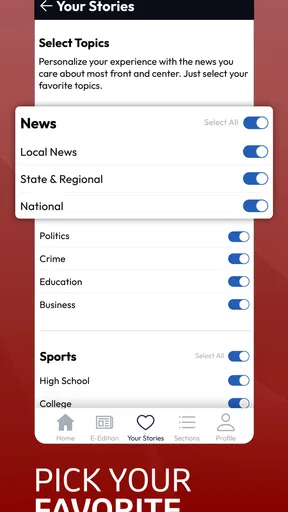
What really makes this app stand out are its personalized notifications. You can choose which types of stories you want to be alerted about, ensuring you only get the news that matters to you. Whether it's breaking news, sports updates, or weather alerts, you can tailor the app to fit your needs. And trust me, it's a game-changer.
Worth Reading Before You Choose

EA SPORTS FC Mobile 26 Is a Bigger Football Game, but It Takes Time

Flipboard Shows What News Apps Must Do Beyond the Feed

Switching to Android Auto Means Rethinking Your Driving Routine

Google Calendar Makes a Crowded Week Easier to Manage

Ludo King Makes the Most of the Minutes Between Plans

Baby Panda World Brings Quick Play to Modern Phones, but Its Game Library Feels Busy
Another feature that I found incredibly useful is the offline reading mode. If you're someone who's often on the go and doesn't always have a stable internet connection, this feature is a lifesaver. You can save articles to read later, making it easy to catch up on the latest news during your commute or while waiting in line for your morning coffee.
User Experience
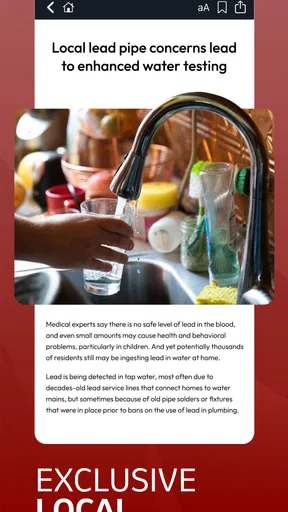
Navigation is a breeze with this app. You can swipe through different sections with ease, and the app loads articles quickly, which is crucial when you're trying to stay informed on the go. The text is clear and easy to read, and there are plenty of images to accompany the stories, making for an engaging reading experience.
One minor hiccup I noticed was that occasionally, some articles take a tad longer to load than others. But hey, nothing's perfect, right? It's a small price to pay for the wealth of information at your fingertips.
Making a calmer reading routine
Notifications are most useful when they serve a specific purpose. I would start with only the topics I genuinely want surfaced quickly, then leave the rest for a deliberate check-in. That keeps a local news app from turning into a second-by-second interruption machine. If sports is the main draw, for example, alerts can help me notice a result or major development; for general news, opening the feed at a chosen time is often less distracting than reacting to every prompt.
The same idea applies to saving stories. Rather than building a huge backlog, I would save only pieces I can name a reason to revisit: a developing local issue, a longer feature, or something to discuss with family. On a commute, that gives offline reading a clear role. It is also a sensible way to avoid relying on a steady connection in places where reception is unreliable. Saved reading works best as a small queue, not a second inbox that grows faster than I can finish it.
Additional Perks
The app also offers a range of multimedia content, including videos and photo galleries, which adds depth to the stories and provides a more dynamic way to consume news. Plus, there's a nifty feature that allows you to share articles directly to social media platforms or via email, so you can easily keep your friends and family in the loop.
If you're into sports, you'll appreciate the dedicated sports section, which offers in-depth coverage of all your favorite local teams. From game highlights to player interviews, it's all there.
Reading around a local story
When an issue matters beyond the headline, I find it useful to separate quick updates from the fuller account. A short alert can tell me to pay attention, but it rarely supplies enough context to form a settled view. I would open the article, note what it explains, and then compare it with another reliable source if the question involves wider policy or events beyond the city. That is not a knock on local reporting; it is a good habit for any reader trying to understand a complicated story rather than merely track it.
Multimedia is another reason to choose the format that suits the moment. A photo gallery can make a local event easier to grasp at a glance, while a video may be more convenient when I can listen rather than read. In a quiet waiting room, though, text is usually the practical choice. The app’s mix of formats gives readers options, but it also means the best experience depends on where and how they are checking the news.
What the version history can and cannot tell you
The app first appeared on December 9, 2010, and its current version is 9.19.3. That long span and the present version number show that this is an established product with ongoing software iteration, rather than a newly launched experiment. They do not, by themselves, tell me which screens or tools changed recently, so I would not assume a particular redesign or new feature from the version number alone.
For an existing user, the practical test is whether the current build behaves well on their device and supports their reading routine. The minimum operating-system requirement is Android 7.0, which matters if you are deciding whether an older phone can run it. I would keep the app current where possible, then check that saved stories and notification preferences still suit me after an update. If anything feels different, a quick review of those settings is more useful than expecting every software change to alter the news itself.
Where the trade-offs show
A local publication gives the app a clear point of view and a clear boundary. That focus is a strength when I want St. Louis reporting, but it cannot replace a broad aggregator for comparing many publishers or building a feed around unrelated interests. Readers who follow several cities may prefer a general news app for discovery, then use this one when they want a closer look at the St. Louis angle.
There is also a difference between a free download and a completely cost-free reading experience. The app costs nothing to install, but in-app purchases are available, so I would pay attention to any purchase prompt and decide whether the access offered is worthwhile for how often I read. With an average rating of 4.4 from around 1,400 ratings, it has a generally positive reception, but ratings cannot predict whether its coverage or payment options will match my own needs. I would judge that by trying my usual routine rather than by the score alone.
Additional Perks
The app also offers a range of multimedia content, including videos and photo galleries, which adds depth to the stories and provides a more dynamic way to consume news. Plus, there's a nifty feature that allows you to share articles directly to social media platforms or via email, so you can easily keep your friends and family in the loop.
If you're into sports, you'll appreciate the dedicated sports section, which offers in-depth coverage of all your favorite local teams. From game highlights to player interviews, it's all there.
Questions worth settling before you rely on it
If you are wondering whether it is useful outside the city, the answer depends on what you want: it can help you follow St. Louis from a distance, but it is not a substitute for a local outlet where you currently live. If you are asking whether you can read without a connection, the offline reading option described above makes saved articles the sensible choice; I would save them before leaving reliable service rather than assume every page will load later.
For someone concerned about interruptions, notification choices are worth reviewing early. Start narrow and widen them only if you find yourself missing useful updates. And if you are deciding whether to pay, remember that the app is free to install while purchases are offered within it; check what a purchase includes and whether it fits your reading frequency before proceeding. Those small checks help turn a promising local feed into a tool that suits your actual habits.
Wrapping It Up
All in all, the St. Louis Post-Dispatch News app is a solid choice for anyone looking to stay updated on the latest news in a convenient and efficient manner. It's got a user-friendly interface, customizable notifications, and a wealth of content that keeps you informed and entertained.
So, if you're tired of sifting through irrelevant news stories and want an app that brings you the news you care about, give this one a try. Download it today and see for yourself why it's a must-have for any news enthusiast!
Pros
- Comprehensive local news coverage.
- User-friendly interface design.
- Regular updates with breaking news.
- Integrated multimedia content.
- Customizable notification settings.
Cons
- Occasional ads can be intrusive.
- Subscription required for full access.
- Limited international news section.
- App can be slow to load initially.
- Some features require stable internet.
FAQs for St. Louis Post-Dispatch News
What features does the St. Louis Post-Dispatch News app offer?
The St. Louis Post-Dispatch News app provides real-time updates on local and national news, comprehensive sports coverage, and in-depth investigative reports. Users can enjoy personalized news feeds, breaking news notifications, and access to multimedia content such as videos and photo galleries. The app also offers offline reading and customizable settings for a tailored user experience.
Is the St. Louis Post-Dispatch News app free to use?
The app is free to download and offers some free content, but access to premium articles and features may require a subscription. Users can explore the app with limited access to determine if the premium content is worth the investment. Subscription plans are available for monthly or yearly access, providing a range of options to suit different needs.
Does the app support offline reading?
Yes, the St. Louis Post-Dispatch News app supports offline reading. Users can save articles to read later without an internet connection. This feature is particularly useful for those who are on the go and may not always have access to Wi-Fi or mobile data, ensuring continuous access to news and updates.
Can I customize my news feed in the app?
Absolutely. The app allows users to personalize their news feed by selecting topics of interest, such as local news, sports, entertainment, and more. This customization ensures that users receive updates and articles that are most relevant to their preferences, providing a more engaging and tailored news experience.
How does the app handle breaking news alerts?
The St. Louis Post-Dispatch News app offers real-time breaking news alerts, keeping users informed of important developments as they happen. Users can customize alert settings to receive notifications for specific topics or categories, ensuring they are only alerted about the news that matters most to them. This feature helps users stay updated without being overwhelmed by constant notifications.


